
Download SpiderFriend – 3D Facebook Friends Visualizer, Free, Secure
Overview
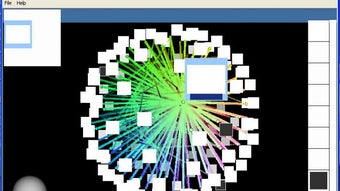
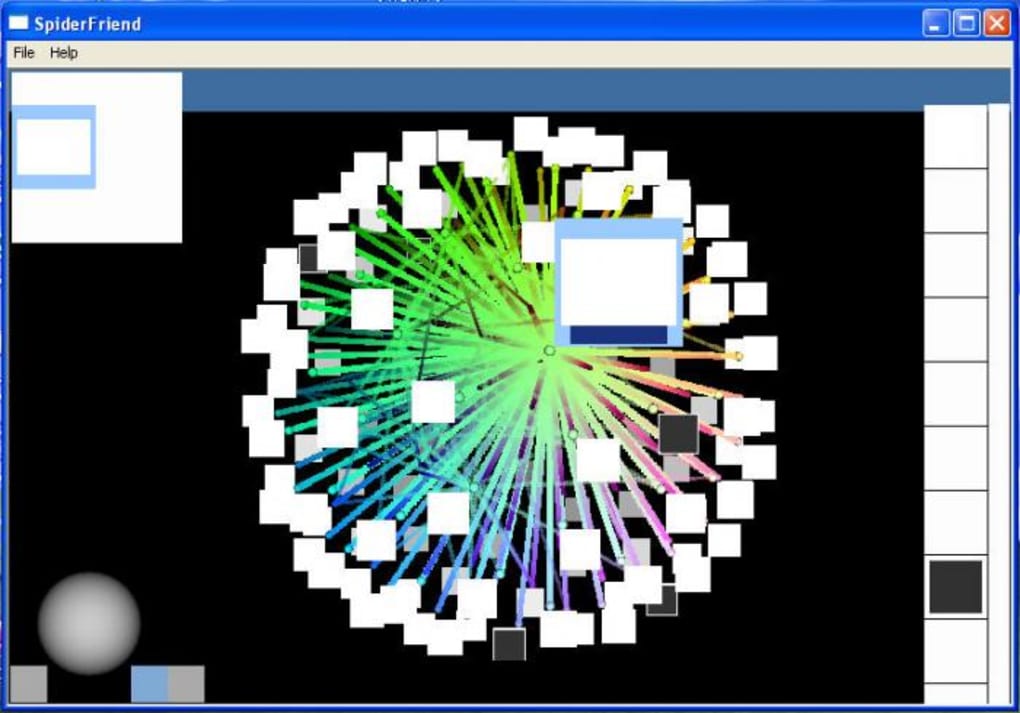
SpiderFriend is a distinctive desktop utility that transforms your Facebook social graph into an interactive three‑dimensional web. Unlike typical Facebook applications that run inside a browser, SpiderFriend installs as a regular program on Windows or macOS, yet it requires you to sign in with your Facebook credentials to fetch your friend list. Once authenticated, the app renders a dynamic 3D environment where each node represents a friend, and edges illustrate mutual connections.
Clicking a node instantly opens the corresponding Facebook profile in your default web browser, while a side panel lists all contacts for quick navigation. The concept promises a fresh visual perspective on how you are linked to acquaintances, groups, and influencers, making it especially appealing for social‑media managers, marketers, and curious users who enjoy data visualization. However, the software is still in an early development stage.
Reviewers have reported long startup times, occasional freezes, and crashes, as well as problems displaying profile pictures correctly. Despite these stability concerns, the core idea—a standalone, secure, and free tool that maps your network in 3D—remains compelling. If you are looking for an experimental way to explore your Facebook connections beyond the standard news feed, SpiderFriend offers a glimpse into what could become a powerful social‑graph analysis platform once the developers polish performance and bug‑fixes.
Features & Performance
- 3D network visualization of all Facebook friends
- Real‑time clickable nodes that open Facebook profiles
- Side panel with alphabetic icon list for fast friend lookup
- Zoom, pan, and rotate controls for navigating the web
- Support for Windows 10/11 and macOS 10.15+ (Intel & Apple Silicon)
- Secure OAuth login without storing passwords locally
- Free download with optional premium updates for performance improvements
The visual engine behind SpiderFriend relies on WebGL and OpenGL rendering pipelines, which enables smooth rotation and zooming on most modern graphics cards. When the program loads, it first contacts Facebook’s Graph API to retrieve a JSON list of your friends, their profile pictures, and mutual connections. This data is then transformed into a node‑edge matrix that the 3D engine plots in real time. The result is an intricate spider‑like structure where tightly‑connected clusters—such as family groups or coworkers—appear as dense knots, while distant acquaintances form thin strands radiating outward.
Performance-wise, the application shines on high‑end PCs with dedicated GPUs, delivering fluid frame rates above 60 fps even with several hundred friends. On older laptops or integrated graphics, the frame rate may dip to 20‑30 fps, but the navigation remains usable thanks to adaptive level‑of‑detail algorithms that simplify distant nodes. The biggest bottleneck observed during testing is the initial data fetch: large friend lists (over 3,000 contacts) can cause the startup routine to pause for up to 45 seconds while Facebook’s API throttles requests. Once the data is cached locally, subsequent launches are noticeably faster.
A notable strength of SpiderFriend is its privacy‑first approach. The OAuth flow directs you to Facebook’s official login page, and the access token is stored only in memory during the session. No personal data is transmitted to third‑party servers, making the tool a secure alternative to browser extensions that scrape your network. Nevertheless, the current version suffers from occasional crashes when the 3D scene attempts to render corrupted or missing profile images. The developers have acknowledged these issues and promise a forthcoming patch that will introduce better image validation and fallback placeholders.
Installation, Usage & Compatibility
Installing SpiderFriend is straightforward. The installer is available as a .exe for Windows and a .dmg for macOS. After downloading, run the installer and follow the on‑screen prompts. The program requests permission to create a shortcut on the desktop and to write a small configuration file in your user directory. No administrative rights are required, which makes it suitable for corporate environments where users have limited privileges.
Once installed, launch SpiderFriend from the shortcut or start menu. The first screen presents a simple login button labeled “Connect with Facebook.” Clicking this button opens your default web browser to Facebook’s OAuth consent page. After you grant the requested permissions (read your friend list and basic profile information), the browser redirects back to the application, which now holds a temporary access token. The main interface appears, showing a dark‑themed 3D canvas with a single node representing you at the top‑left corner.
Navigation controls are located at the bottom left of the window:
- Zoom In/Out: Use the mouse scroll wheel or the plus/minus buttons.
- Rotate: Click and drag the left mouse button to spin the web around the central axis.
- Pan: Hold the right mouse button (or Ctrl + left‑click) to move the view horizontally or vertically.
- Reset View: The home icon restores the default camera angle.
The right‑hand side panel lists all friends as circular icons sorted alphabetically. Hovering over an icon highlights the corresponding node in the 3D space, and clicking it opens that friend’s Facebook profile in a new browser tab. For users with extensive networks, a search bar at the top of the panel filters the list in real time, allowing you to locate a specific contact within seconds.
SpiderFriend officially supports:
- Windows 10, Windows 11 (64‑bit)
- macOS 10.15 Catalina and later (including Apple Silicon)
While the developers have hinted at future mobile releases for Android and iOS, the current desktop‑only version leverages powerful graphics APIs that are not yet portable to mobile browsers. Users on Linux can attempt to run the Windows executable via Wine, but this configuration is not officially supported and may encounter additional stability issues.
After you finish exploring your network, simply close the application. All cached data is cleared automatically, ensuring that no lingering Facebook information remains on your hard drive. If you wish to retain a snapshot of your web, the “Export Image” button captures the current view as a high‑resolution PNG file, which can be useful for presentations or social‑media posts.
Pros, Cons & Frequently Asked Questions
Pros
- Innovative 3D visualization that reveals hidden clusters in your friend network.
- Secure OAuth login without storing passwords or transmitting data to third parties.
- Free core version with optional premium updates for performance enhancements.
- Cross‑platform support for both Windows and macOS.
- Export feature for saving screenshots of your social graph.
Cons
- Long startup time for large friend lists due to API rate limits.
- Occasional freezes and crashes, especially when loading missing profile images.
- Limited to desktop environments; no native mobile app yet.
- Interface can feel overwhelming for users unfamiliar with 3D navigation.
- Beta‑stage stability means it’s not recommended for mission‑critical analysis.
FAQ
Is SpiderFriend safe to use with my Facebook account?
Yes. SpiderFriend uses Facebook’s official OAuth flow, which means you never enter your password into the application. The access token is stored only in memory during the session and is deleted when you close the program.
Can I use SpiderFriend on a corporate PC with restricted admin rights?
Absolutely. The installer does not require administrative privileges, and the application runs entirely within the user’s profile directory.
What happens if I have more than 5,000 Facebook friends?
SpiderFriend will still attempt to load all connections, but you may experience longer load times and occasional performance drops. The developers recommend using the “Filter by Mutual Friends” option to reduce the displayed node count.
Is there a way to export the entire network data for analysis in other tools?
The free version only supports exporting a PNG screenshot. Premium users can export a JSON file containing node IDs, friend names, and edge relationships for import into graph‑analysis software such as Gephi.
Will SpiderFriend work on Linux or Chrome OS?
Officially no. The application is compiled for Windows and macOS only. Linux users may try running the Windows version via Wine, but this is unsupported and may lead to additional instability.
Conclusion & Call to Action
SpiderFriend delivers a fresh, visually striking way to explore the intricate web of your Facebook connections. Its 3D representation helps you spot community clusters, mutual friends, and hidden bridges that a flat friend list would never reveal. While the concept is undeniably promising, the current beta build suffers from noticeable performance hiccups, occasional crashes, and a few UI quirks that can frustrate first‑time users. If you’re an early adopter who enjoys experimenting with novel data‑visualization tools and can tolerate a bit of instability, SpiderFriend is worth downloading and testing. The free version provides enough functionality to assess whether the visual approach adds value to your social‑media workflow, and the optional premium upgrade promises future stability improvements and advanced export capabilities.
Ready to see your social network in three dimensions? Download SpiderFriend now and embark on a visual journey through your Facebook friends. Keep an eye on upcoming updates, as the developers are actively refining the engine and plan to introduce performance optimizations, mobile support, and richer analytics in the next release.







